Search Docs
Creating a loan
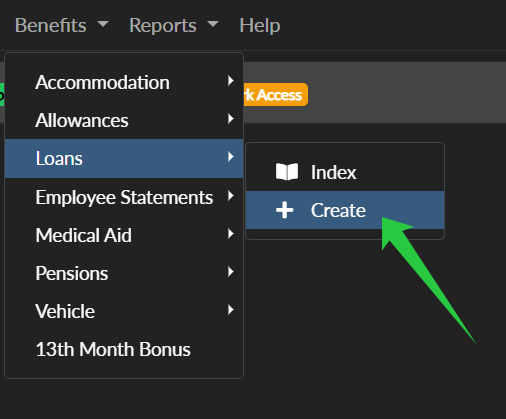
From the Main Menu click Benefits > Loans > Create

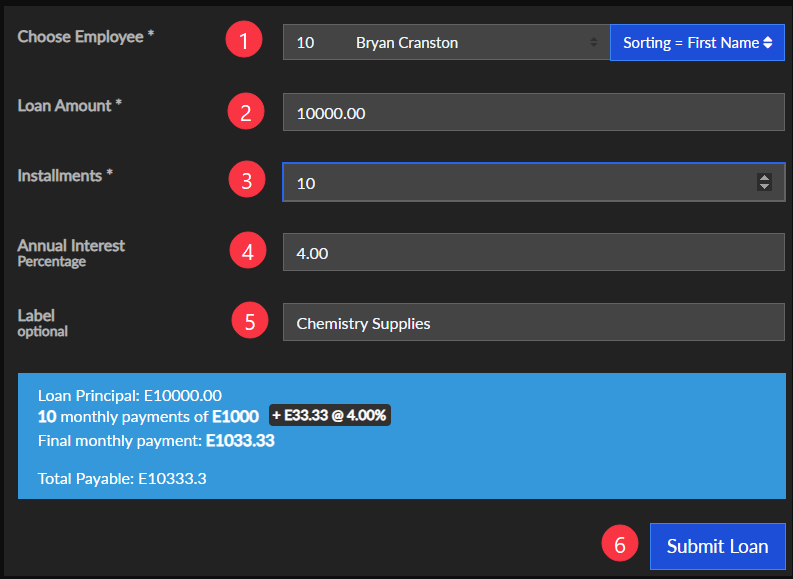
Fill out the form fields:
- Choose an employee
- Loan Amount
- Installments (How many months the loan will cover)
- Annual Interest (Optional)
- Label (for internal records)
- Click Submit Loan
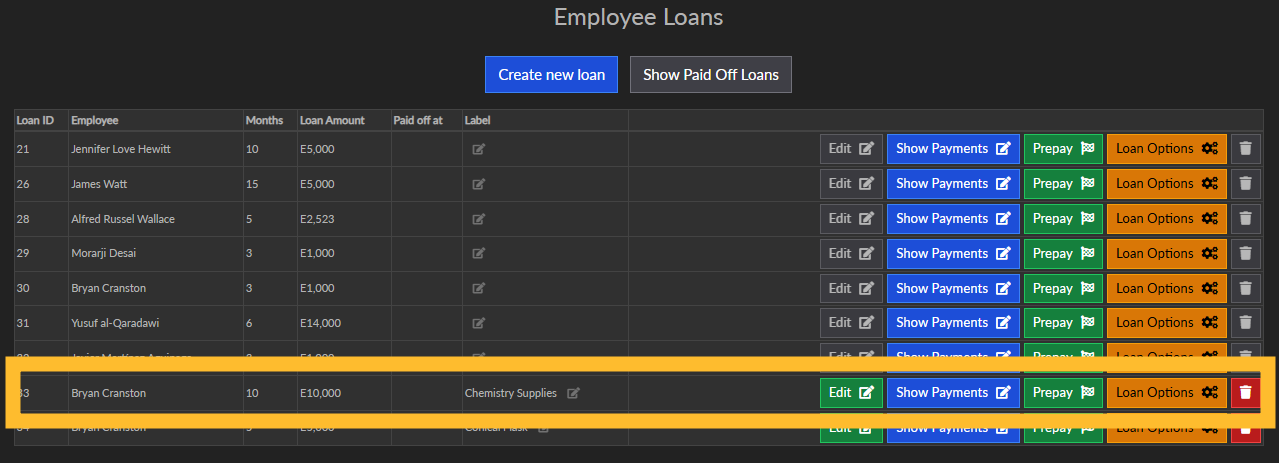
After creating the loan you will be redirected to the loans index for your company where you will see your newly created loan.
Loans within an unlocked batch
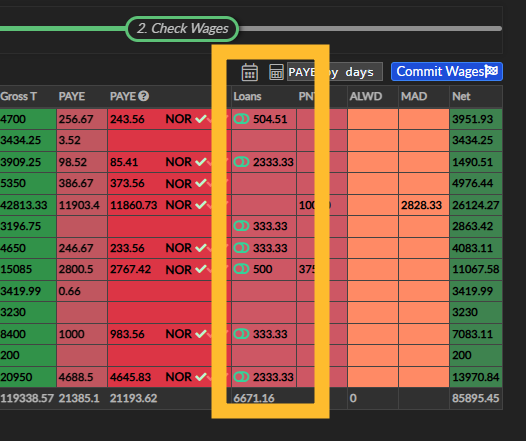
Loans can be seen when editing a batch on the Check Wages page
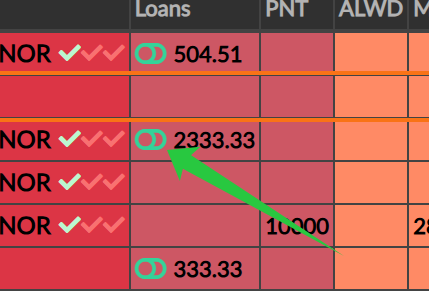
Loans can be easily disabled for each employee for the current month by clicking the small green button. Clicking it again will re-enable the loan.
Loans on wage slips and reports
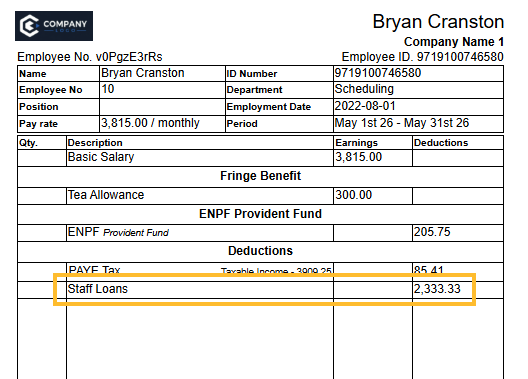
Loans are consolidated on wage slips and also broken down under the wage slip
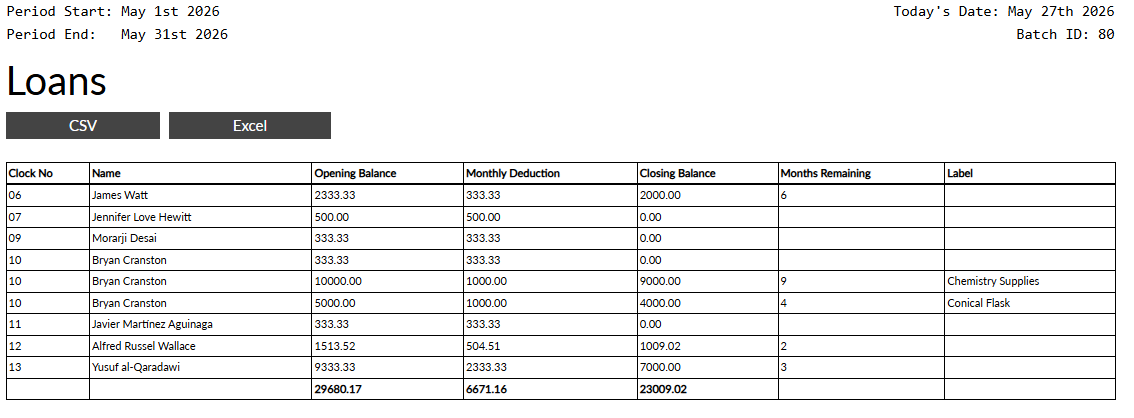
A complete breakdown all all loans for the current month
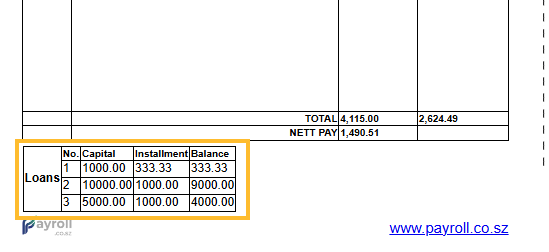 A complete breakdown all all loans for the current month