Search Docs
Default Company Settings
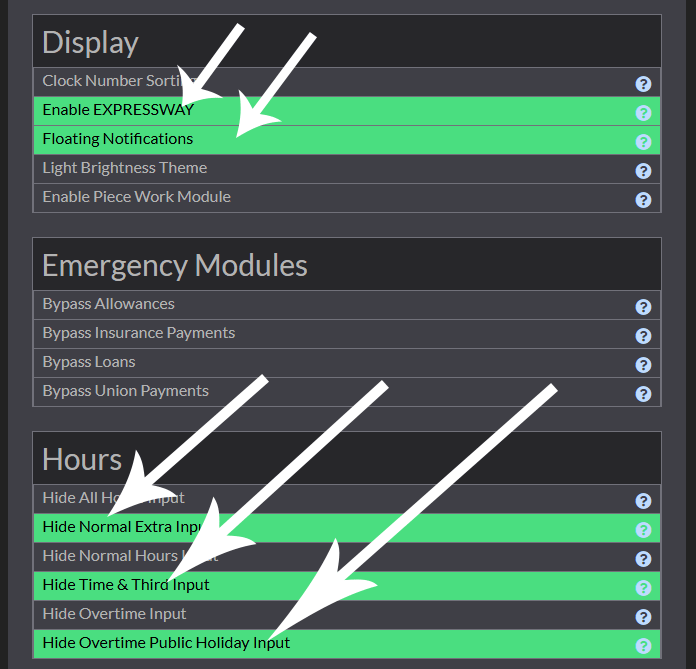
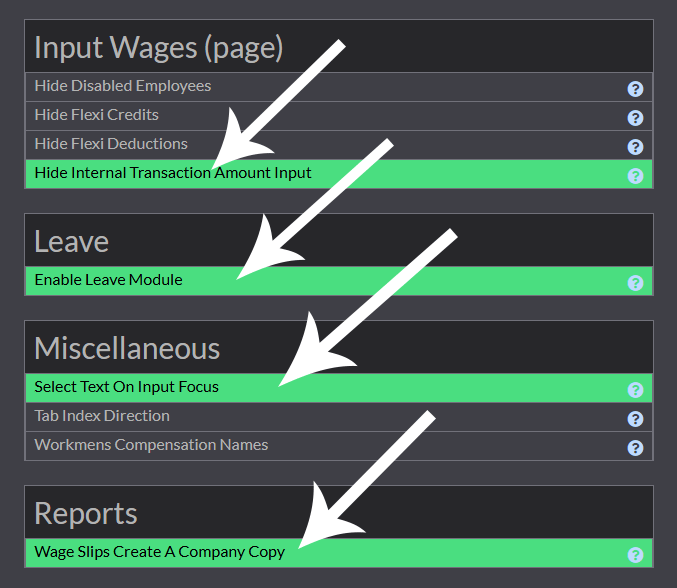
By default the Company Settings are like the following examples and they are the central hub for all essential configurations in the payroll app. This powerful tool allows you to customize a wide range of settings that directly impact how the application functions. If you notice any details missing or incorrect in the wage batch, simply check here to adjust the settings to suit your company’s specific needs. With Company Settings, you have complete control, ensuring the payroll system is always aligned with your organization’s unique requirements.
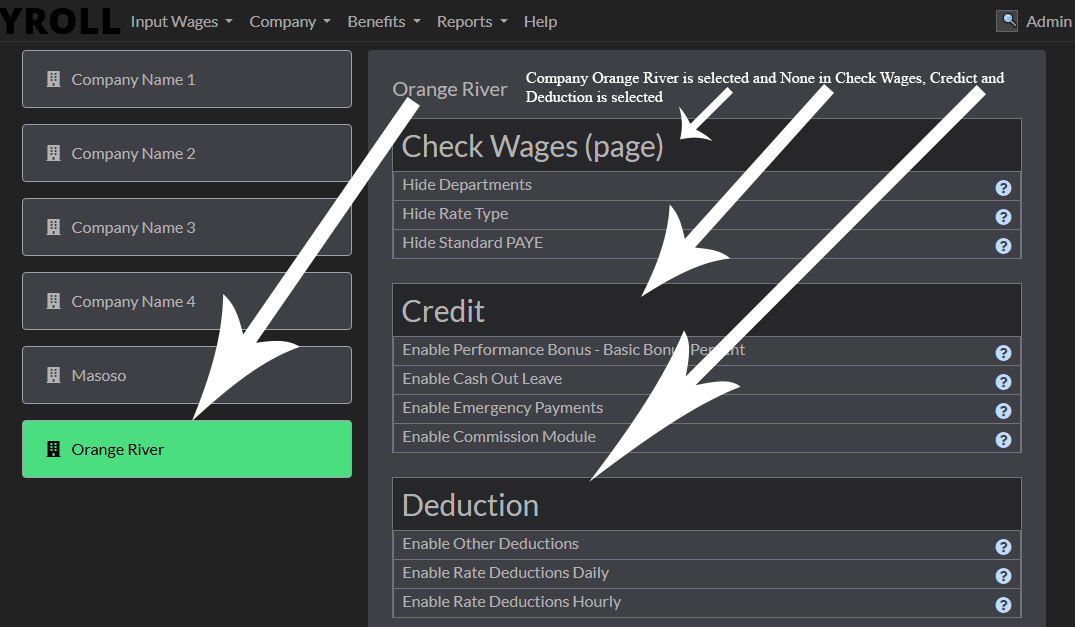
In this part under Display Enable EXPRESSWAY and Floating Notifications are selected, None is selected under Emergency Modules, and under Hours Hide Normal Extra Input, Hide Time & Third Input and Hide Overtime Public Holiday Input are selected.